Normally, eBay restricts the same Stock Keeping Unit (SKU) from being listed twice on the one eBay site. However, identical products can be listed on different eBay sites (e.g. eBay Australia, eBay United States).
Neto allows you to list directly to the following supported eBay sites:
- eBay United States
- eBay Canada (English)
- eBay UK
- eBay Australia (eBay Australia currently hosts New Zealand)
- eBay Austria
- eBay Belgium (French)
- eBay France
- eBay Germany
- eBay Motors
- eBay Motors (US)
- eBay Italy
- eBay Belgium (Dutch)
- eBay Netherlands
- eBay Spain
- eBay Switzerland
- eBay Hong Kong
- eBay India
- eBay Ireland
- eBay Malaysia
- eBay Canada (French)
- eBay Philippines
- eBay Poland
- eBay Russia
- eBay Singapore
- eBay Sweden
Most of the international eBay sites listed above must be enabled first.
Please Note: Before you begin, ensure you have agreed to eBay's cross-border trade agreement.
Enable an International eBay Site
To list to an international eBay site you must first enable it. To enable these sites:
- In your Neto control panel navigate to eBay > Setup & Tools.
- Click the Site Manager link within the Configuration section.
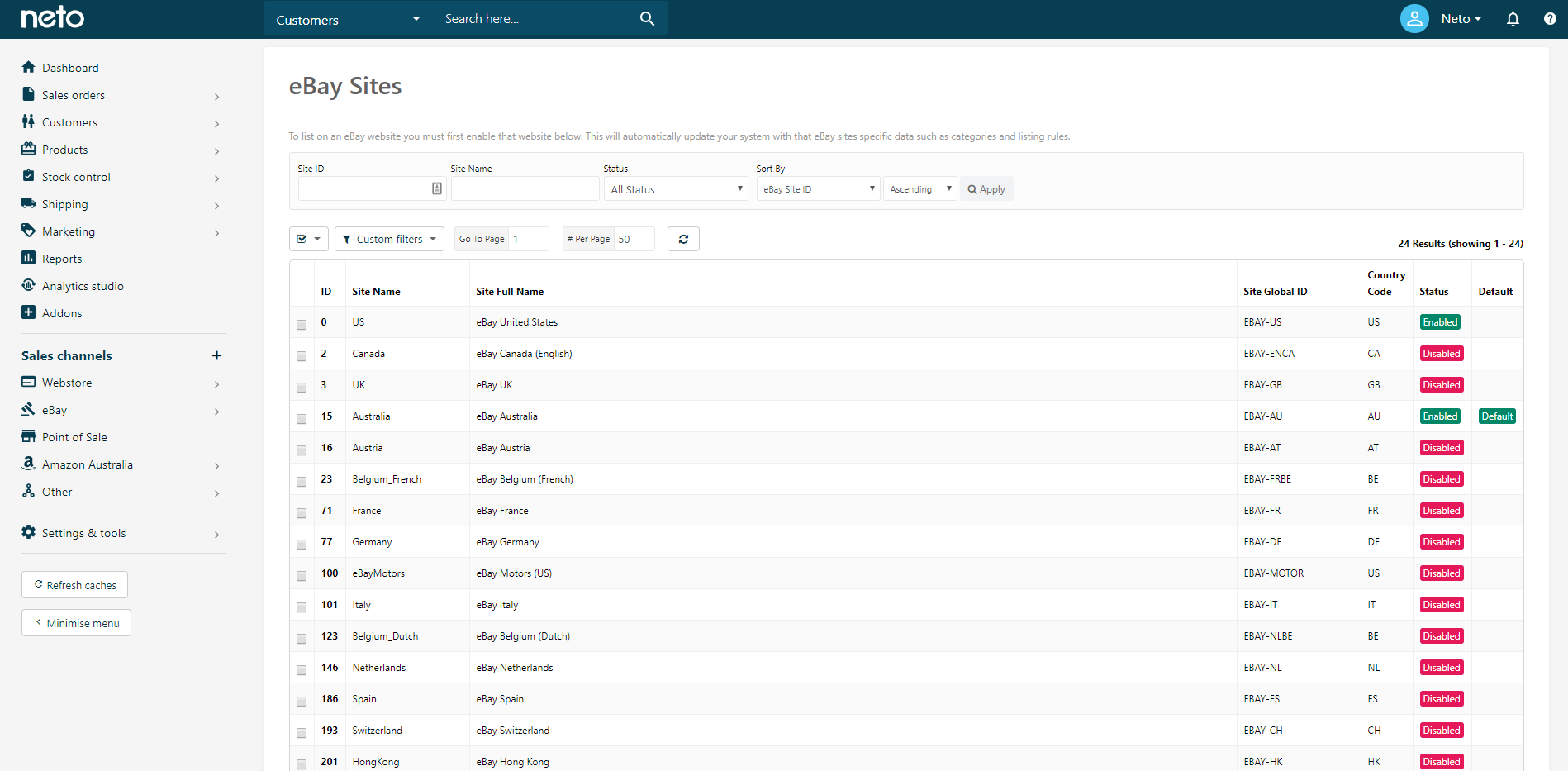
- Click each of the checkboxes next to the countries you wish to enable and scroll to the bottom of the page.
- Click the With Selected button and click Enable Selected from the dropdown menu.
- Click the OK button to confirm your action.
- In the Download Latest eBay Data section, ensure the Download Latest eBay Site Data checkbox is selected.
- Click the Download button.
Please Note: If you are selling car parts, click the Also Download Latest eBay Vehicle Compatibility List option as well.
This process will download the latest information for the sites you wish to list on.
Configure an eBay Listing Rules Template
Listings for international sites need their own rules templates. While most steps are the same, there are a few differences: