If you have added line items to your funnel tracking script (see our Web Funnel Tracking article), then you can reference them within your email content using the web funnel tags.
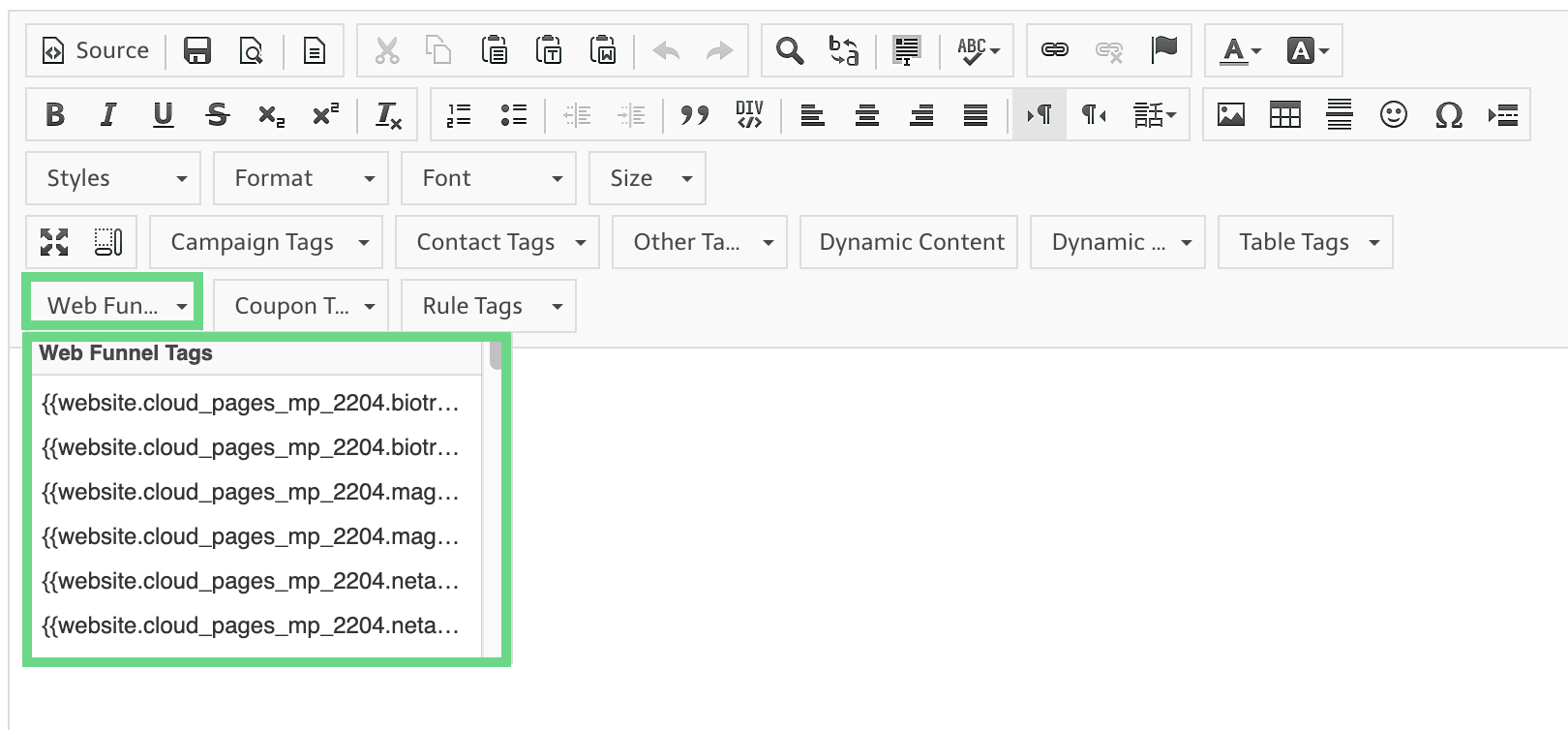
The following is a screenshot of the WYSIWYG content editor with Web Funnel Tags highlighted:
The general syntax of a web funnel tag is:
{{website.website_tag.funnel_tag.funnel_name or line_items}}
Where,
- "Website tag" refers to the name assigned to the website tag when creating the website tracking script.
- "Funnel tag" refers to the name assigned to the funnel tag when defining the name of the web funnel.
- "funnel_name" is an attribute that references the name of the web funnel
- "line_items" is an attribute that references the array of items that you passed to the web funnel line items array.
- The "line_items" array contains these four elements:
- Description – A short description of the product
- page_url – The URL to the product page. If using funnel tracking for a membership form, provide the URL of the page where the contact last left off
- image_url – The URL of the product image
- HTML – Any additional HTML coding that will appear in the personalization.
Use Liquid Scripting to access the elements of the line_items array and iterate through each set of elements.