Adding a custom domain and logo allows you to brand your storefront and make it accessible through your own website URL. This helps establish trust with customers and ensures your store reflects your brand identity instead of a default system-generated domain.
This article explains how to add a custom domain, verify it using DNS records, and connect it to a sales channel from the Back Office.
To access
- Go to Back Office
- Navigate to Settings
- Select Custom Domains

- Click New Custom Domain

- When you click New Custom Domain, you are taken to a setup page that guides you through connecting your domain to a storefront.

Custom Domain Setup Page
Field | Description |
|---|
Custom Domain | Enter the domain name you want to use for your storefront (for example, www.yourstore.com). |
Select Sales Channel | Choose the sales channel where this domain should be applied. Each domain can be attached to one sales channel. |
- After entering the domain name and selecting the sales channel, click Next to continue.
- Once you proceed, Commerce Cloud generates the required DNS record needed to verify your domain ownership.

CNAME Configuration Details
Field | Description |
|---|
Type | Indicates the DNS record type. For custom domains, this is CNAME. |
Hostname | The host value for the record, typically @ or www. |
Value | The target address provided by Commerce Cloud (for example, xxxx.production.maropost.store). |
Status | Shows whether the domain is verified or unverified. |
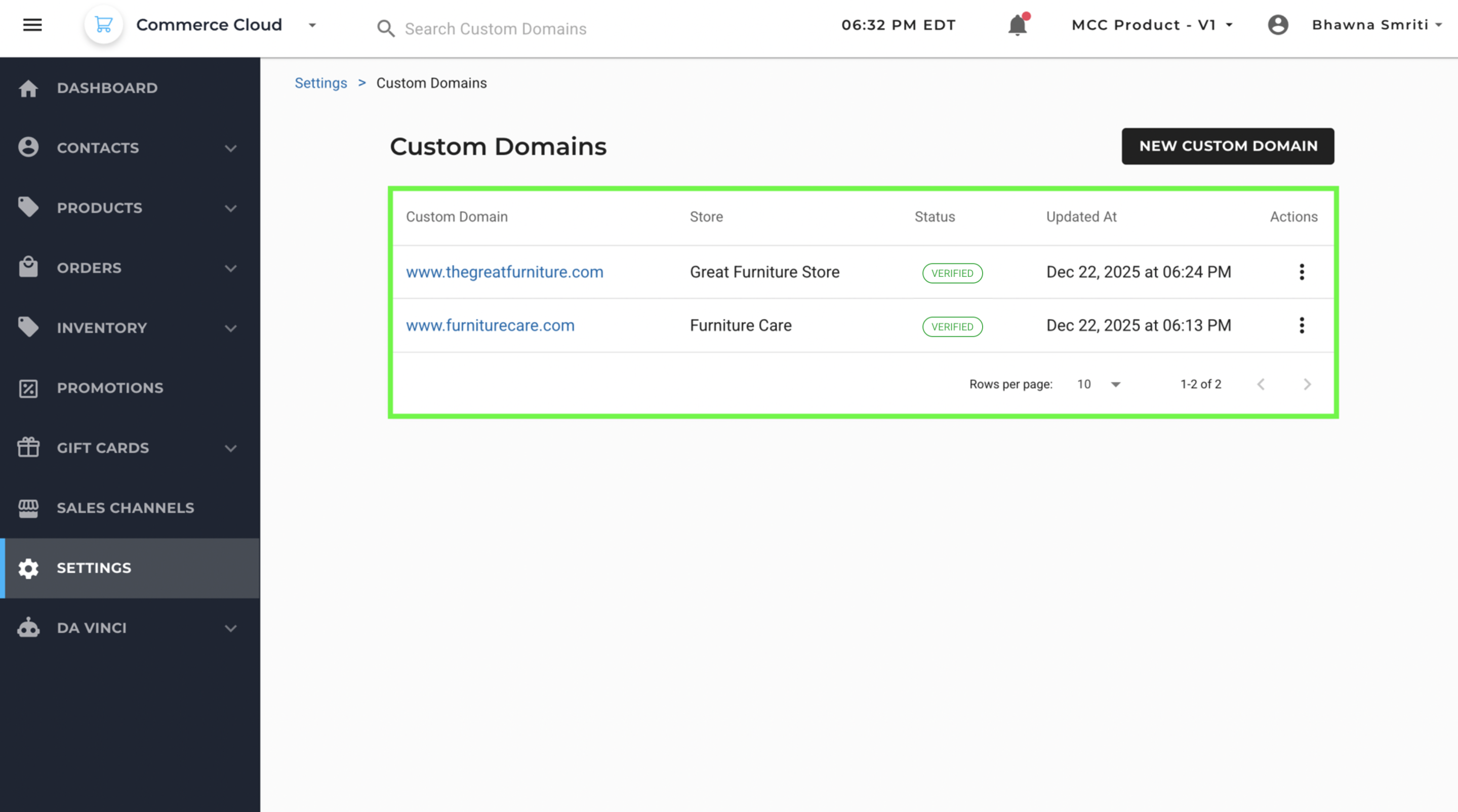
Your domain will appear on the Custom Domain page, you can keep an eye on the status from the main custom domain page.

Verify the Domain
- Copy the CNAME record details shown on the screen
- Log in to your domain provider’s DNS management console
- Add a new CNAME record using the provided hostname and value
- Save the DNS changes
- Return to Commerce Cloud
- Click Verify CNAME
Once verification is successful, the domain status updates and the domain becomes active for the selected sales channel.
DNS propagation may take some time depending on your domain provider.
After the CNAME is verified:
- The custom domain is connected to the selected sales channel
- Your storefront becomes accessible using the custom domain
- The default system URL is replaced by your branded domain