OVERVIEW
In this release, we are pleased to announce some beneficial updates to our Neto platform.
STORE REPLENISHMENT SHEET ENHANCEMENT
In prior implementations, merchants operating brick-and-mortar locations through the Neto Control Panel faced significant operational overhead in determining restocking requirements for front-of-store inventory and identifying the corresponding warehouse zones from which items needed to be retrieved, based on daily sales transactions. Although such data can be accessed through the Neto order list interface, this process is quite cumbersome.
To address this operational bottleneck, we have introduced a “Store Replenishment Sheet” feature that systematically presents each item’s SKU requiring replenishment, organized by pick zone designation, while displaying key information including units sold, current inventory levels, and assigned pick zones.
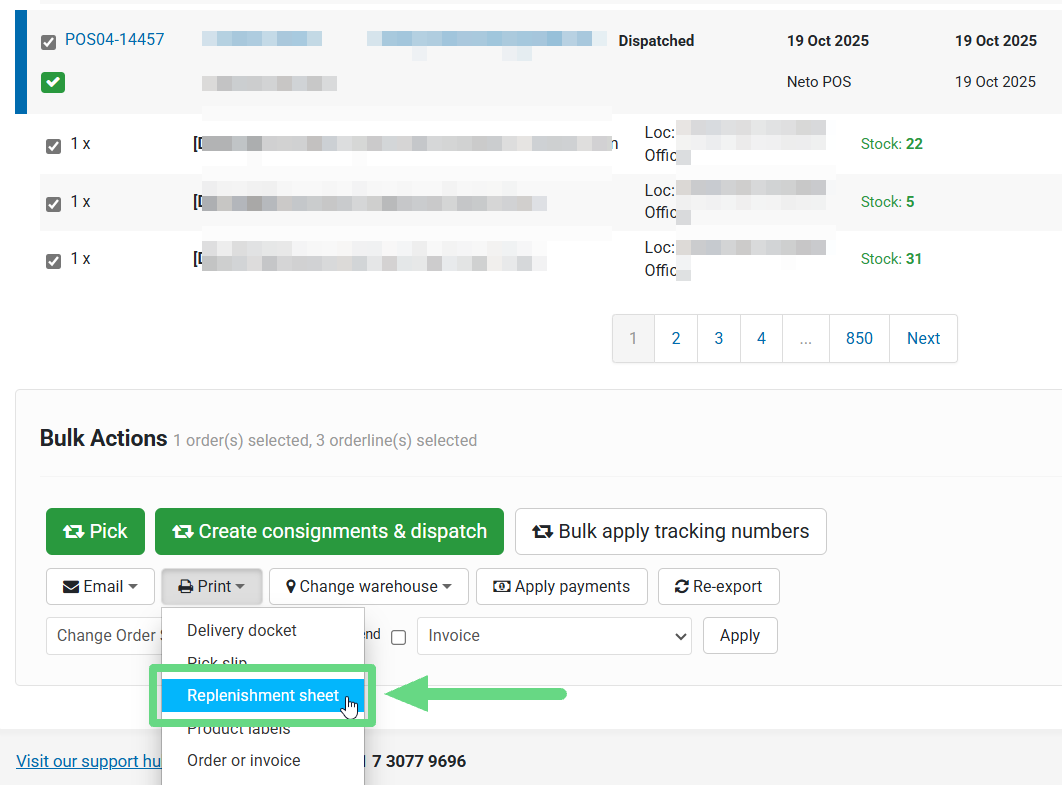
This report can be generated directly from the Order List page within the Control Panel and distributed to warehouse personnel in either printed or exported format.
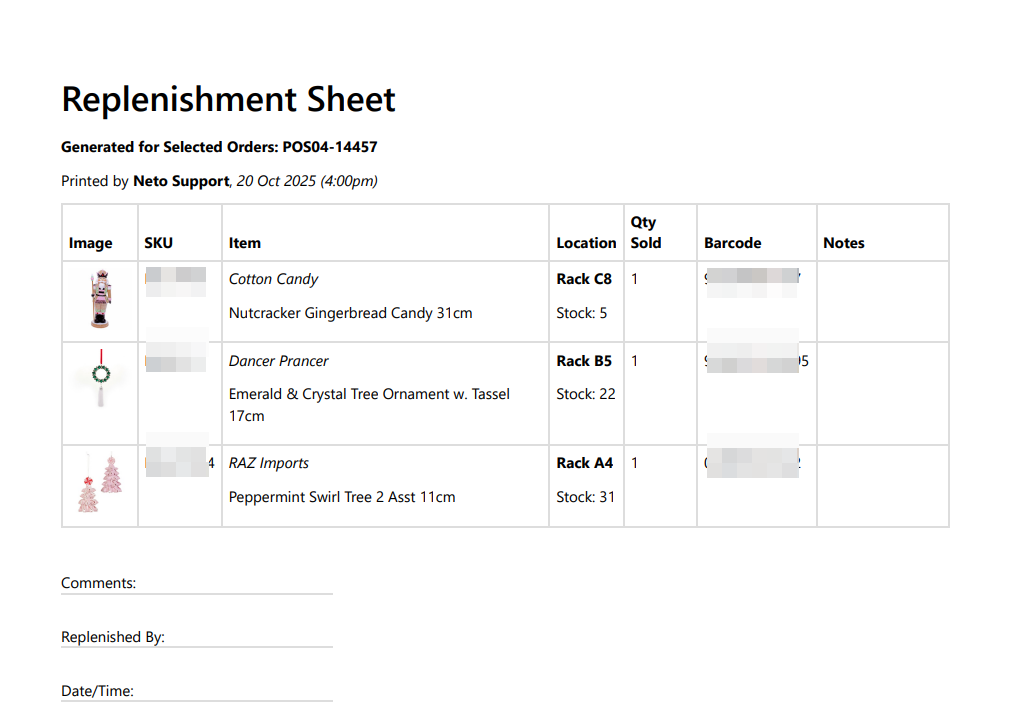
Such an update is helpful for merchants who are managing a warehouse inventory and need to work in tandem with the frontend store’s stockpile to maintain maximum operating efficiency.
BACKORDER SUFFIX UPDATE
When a merchant partially fulfills an order and places the unfulfilled items on a backorder, the system typically generates a backorder for the remaining unfulfilled line items.
This newly created backorder, however, utilizes the next available order ID as if a new order were created from scratch. Since this new backorder doesn’t contain any significant details that could connect with the original order, this causes discrepancies while reconciling the overall payment amount or tracking the remaining items from the original order, as a single payment can correspond to multiple distinct order IDs.
To mitigate the issue of the Neto system automatically assigning a new order ID to an unfulfilled order, the settings now allow appending a suffix to the original order ID when a backorder is created.
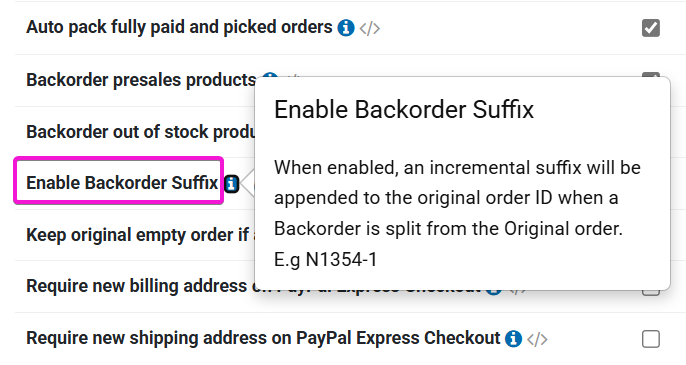
Example: original Order ID = N13456
Backorder = N13456-1

REDEEM REWARDS FEATURE
Shoppers can now utilize their accumulated reward points on their in-store Neto retail purchases, as this feature wasn’t available previously.
By using the “Rewards” payment method available on Neto POS’s payment screens, shoppers can choose their reward scheme and redeem it during order checkout.
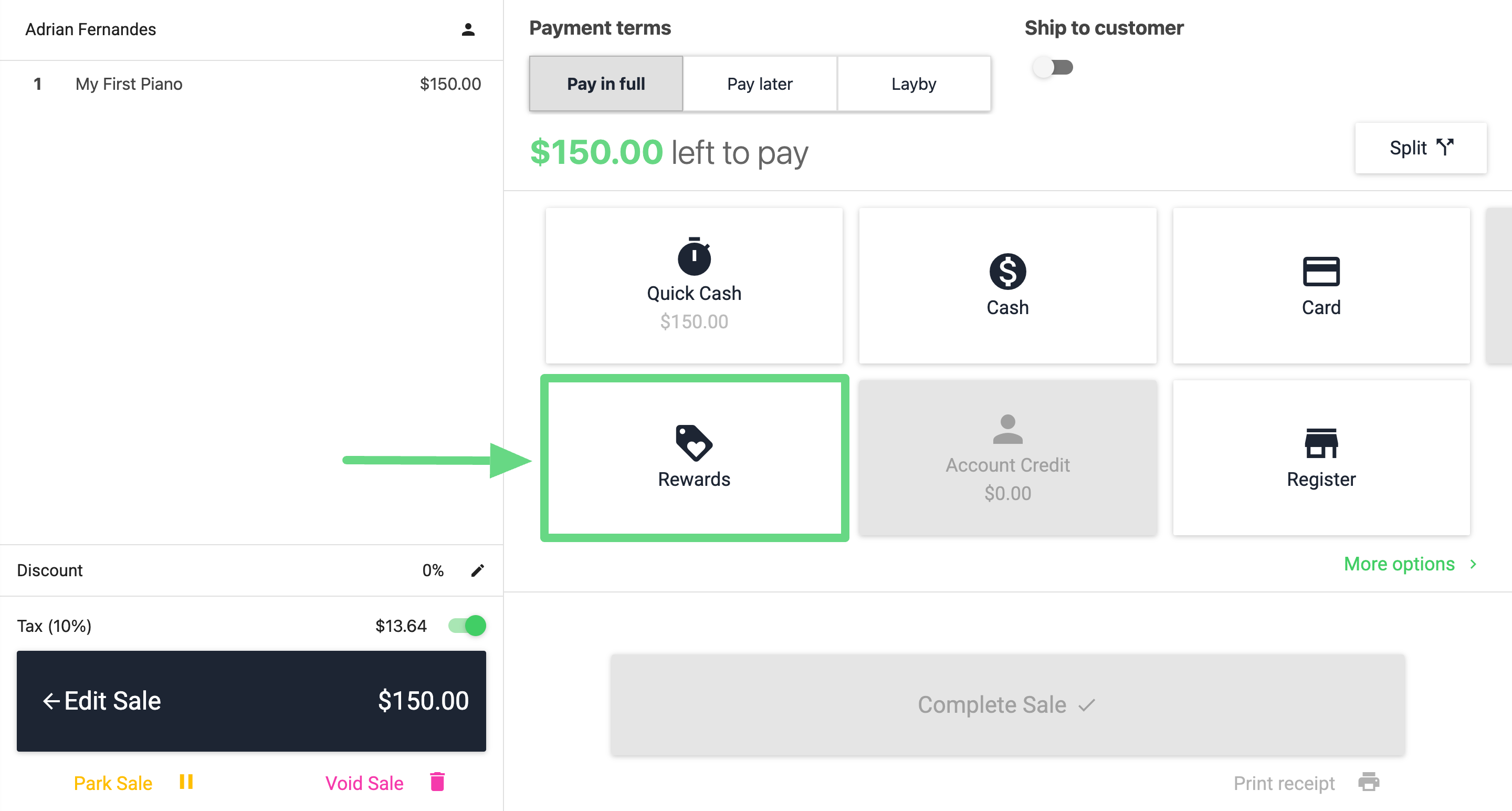
Such payment initiatives open doors to merchants who wish to offer omnichannel loyalty programs. Although we currently don’t support earning rewards on Neto POS, we are planning to implement it soon, so stay tuned!!
To learn more about Neto’s new rewards feature, kindly read our Neto POS Redeem Rewards Program article.